ROI Tools
Documentation notice
This documentation was generated with help from a large language model and has not been fully vetted by the developer. Verify critical details against the source code and current application behavior.
ROI tools are the core bridge between Data Viewer and later analysis workflows.
ROI types
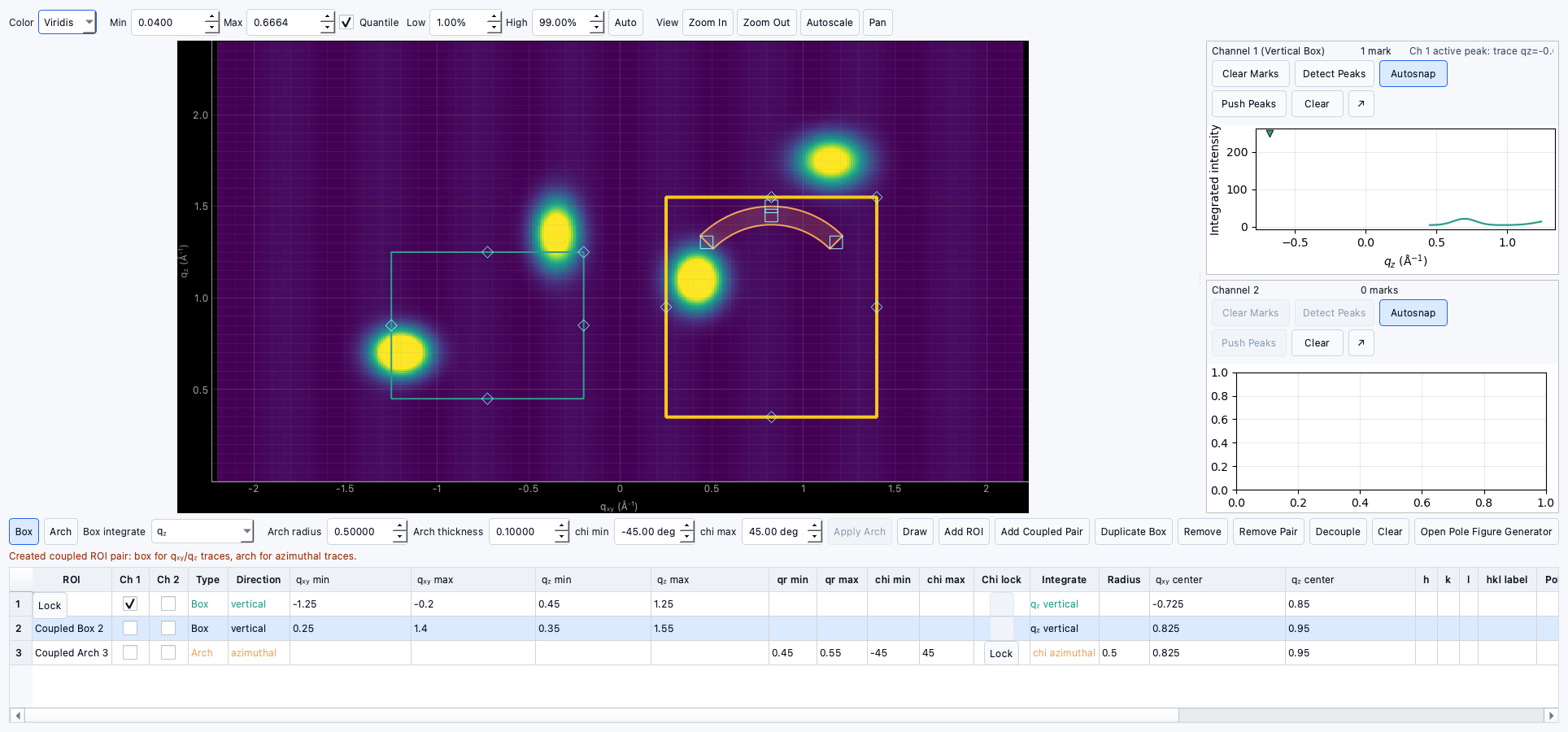
- Rectangular ROI: defines a
q<sub>xy</sub>byq<sub>z</sub>region. - Arch ROI: defines
qrandchibounds for azimuthal extraction.
Coupled ROIs
The UI supports coupled ROI workflows (rectangular + arch). If supported, coupling is tracked in ROI metadata and used by dependent tools.
Creating and editing ROIs
- Draw from the Data Viewer plot interactions.
- Edit geometry using the ROI table.
- Resize and reposition ROIs directly on the plot.
Moving and resizing ROIs
- Drag ROI edges/handles in plot.
- Set integration direction and display states from table controls.
ROI metadata
Each ROI stores:
- table geometry values
- kind and coupling metadata
- pole-figure and hkl metadata
hkl and phase tagging
- Open ROI rows in the ROI metadata/edit table.
- Assign
h,k,l, and labels. - These values can be propagated to Peak Identification and Peak Fitting outputs.
Phase tagging
- Use phase tag fields in the peak/ROI workflow to organize candidate interpretation.
Gap-estimated peaks
- EWALD supports gap-estimated point behavior as an explicit peak kind in data records.
- Gap markers are distinct from normal measured or manually entered peaks.
Planned
- Some advanced automatic ROI coupling modes are marked as Planned for future UI refinements.