Tutorial: Loading data and viewing a GIWAXS image
Documentation notice
This documentation was generated with help from a large language model and has not been fully vetted by the developer. Verify critical details against the source code and current application behavior.
Use this tutorial as the first run-through when you have local TIFF data.
1) Open EWALD
bash
ewald
2) Create a project
File→ New Project (or open an existing.ewld).
3) Import one image
- Choose Import Data File and select one
.tif/.tiff.
4) Review metadata
- Select filename or header parsing strategy.
- Confirm tokenized metadata entries.
5) Apply correction inputs
- Load or create a MASK.
- Load a PONI calibrant.
- Confirm and unlock data viewer.
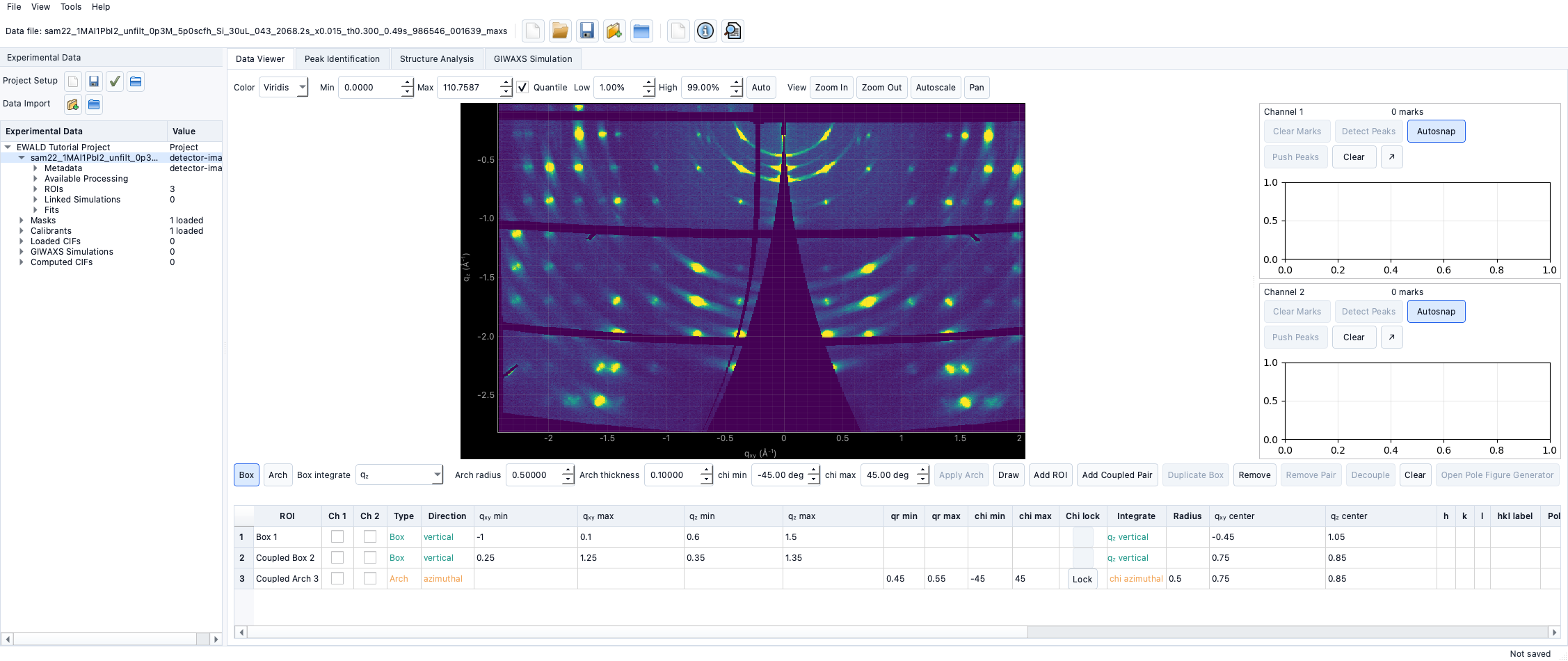
6) Open Data Viewer
- Use
q<sub>xy</sub>/q<sub>z</sub>plotting to inspect corrected features. - Tune contrast and colormap for visibility.
7) Missing example assets
Sample datasets can be kept under a local ignored example/ folder for
single-image checks. For folder-scale tutorials, use project-local datasets and
document names in your lab storage.