Tutorial: Using film optics inputs
Documentation notice
This documentation was generated with help from a large language model and has not been fully vetted by the developer. Verify critical details against the source code and current application behavior.
This workflow controls low-angle optical corrections in EWALD.
1) Open film optics controls
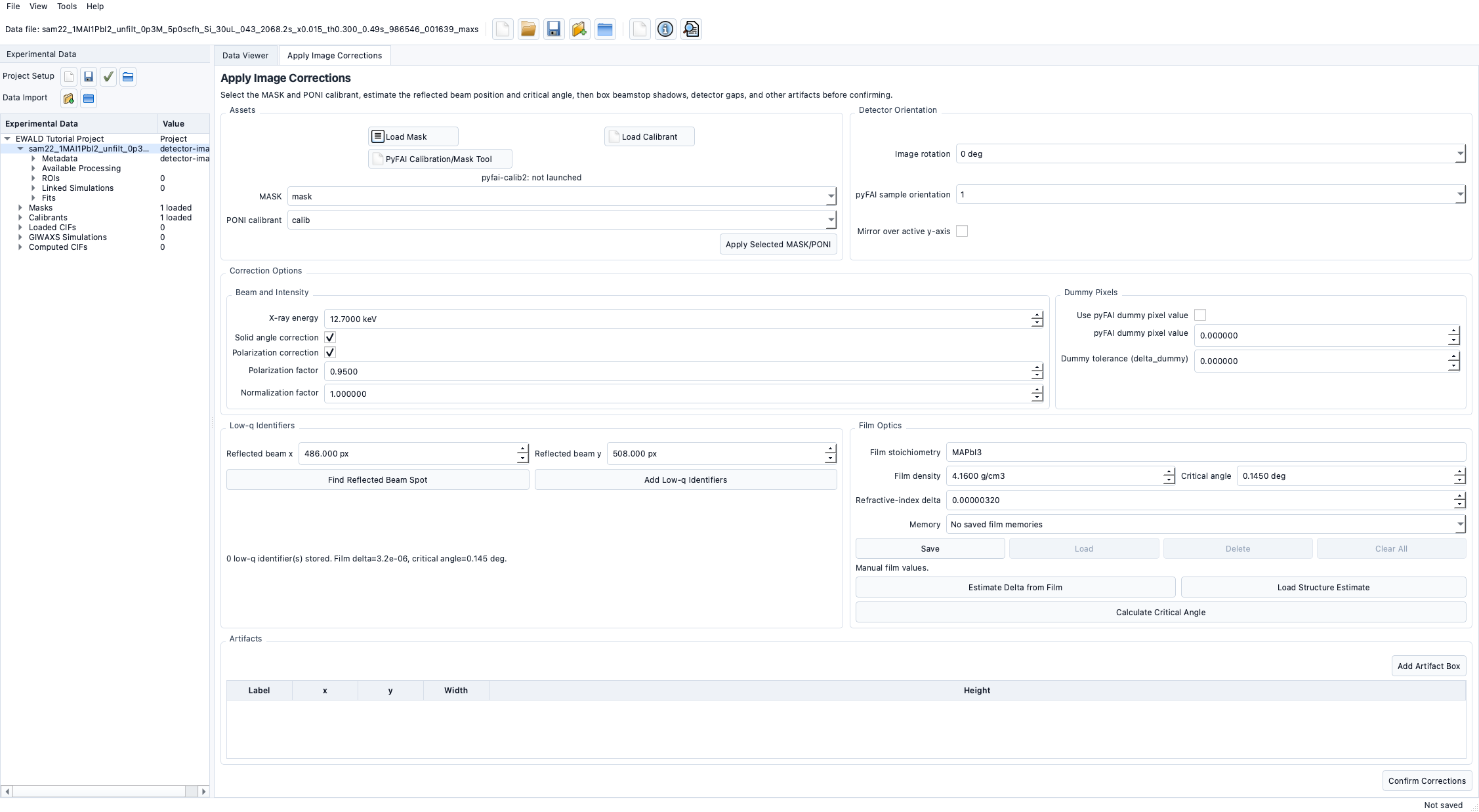
- Open Apply Image Corrections.
- Find the film optics section in the panel.
- Enter stoichiometry text and density value.
2) Estimate optical constants
- Use the estimate action with composition and density input.
- Review estimated critical angle and refractive constant values.
- Confirm values are applied to the active correction state before saving project state.
3) Use structure reference files
EWALD accepts:
*.cif*.mcifPOSCAR*CONTCAR**.vasp
Load a valid structure reference to support composition- or phase-aware optics behavior.
4) Save and reuse values
- Save named film memory entries for repeated sessions.
- Clear or replace memory entries when the sample changes.
5) Confirm runtime behavior
- Verify correction outputs use the active film values.
- Save project and reopen later to confirm persistent memory/reload.
Planned and current support
- Basic film optics workflow and memory items are implemented.
- Advanced multilayer stack modeling is Planned.