Tutorial: Exporting fitted peak positions
Documentation notice
This documentation was generated with help from a large language model and has not been fully vetted by the developer. Verify critical details against the source code and current application behavior.
This tutorial covers how EWALD users get fitted peak positions into downstream analysis and what export options are available today.
What is implemented
- Peak fits in Peak Fit are stored in the active
.ewldproject. - Structure Analysis uses those fitted centers as input candidates when available.
- Result rows include summary metrics, including
R<sub>w</sub>where fit metadata is generated.
Prerequisites
- At least one ROI with a successful fit in Peak Fit.
.ewldproject with.datatargets loaded and corrections confirmed.- Sufficient fit metadata computed for the peaks you want to move forward.
1) Fit ROIs and confirm table status
- In Peak Fit, run integrations and fits for one ROI or all ROIs.
- Confirm the fit status and centers for each profile.
- Use the status column to check which entries are valid.
2) Move fitted positions into Structure Analysis
- Open Structure Analysis.
- Use the import action to load fit-derived peak centers.
- Review peak coordinates, uncertainties, and linked source IDs.
- Edit peak centers manually when needed.
3) Export and persist what you need
EWALD does not currently expose a one-click “export selected fitted peaks as CSV” control in the generic workflow.
Use these options today:
- Save the project to persist fit metadata in the
.ewldfile. - Use Structure Analysis and Pole Figure exports to capture downstream processed results.
- Use simulation and pole-figure outputs for downstream analysis files where applicable.
4) Planned or experimental export paths
Planned enhancements include dedicated fitted-peak table exports to CSV and broader format-specific batch exporters. Track implementation progress in release notes.
Screenshot capture
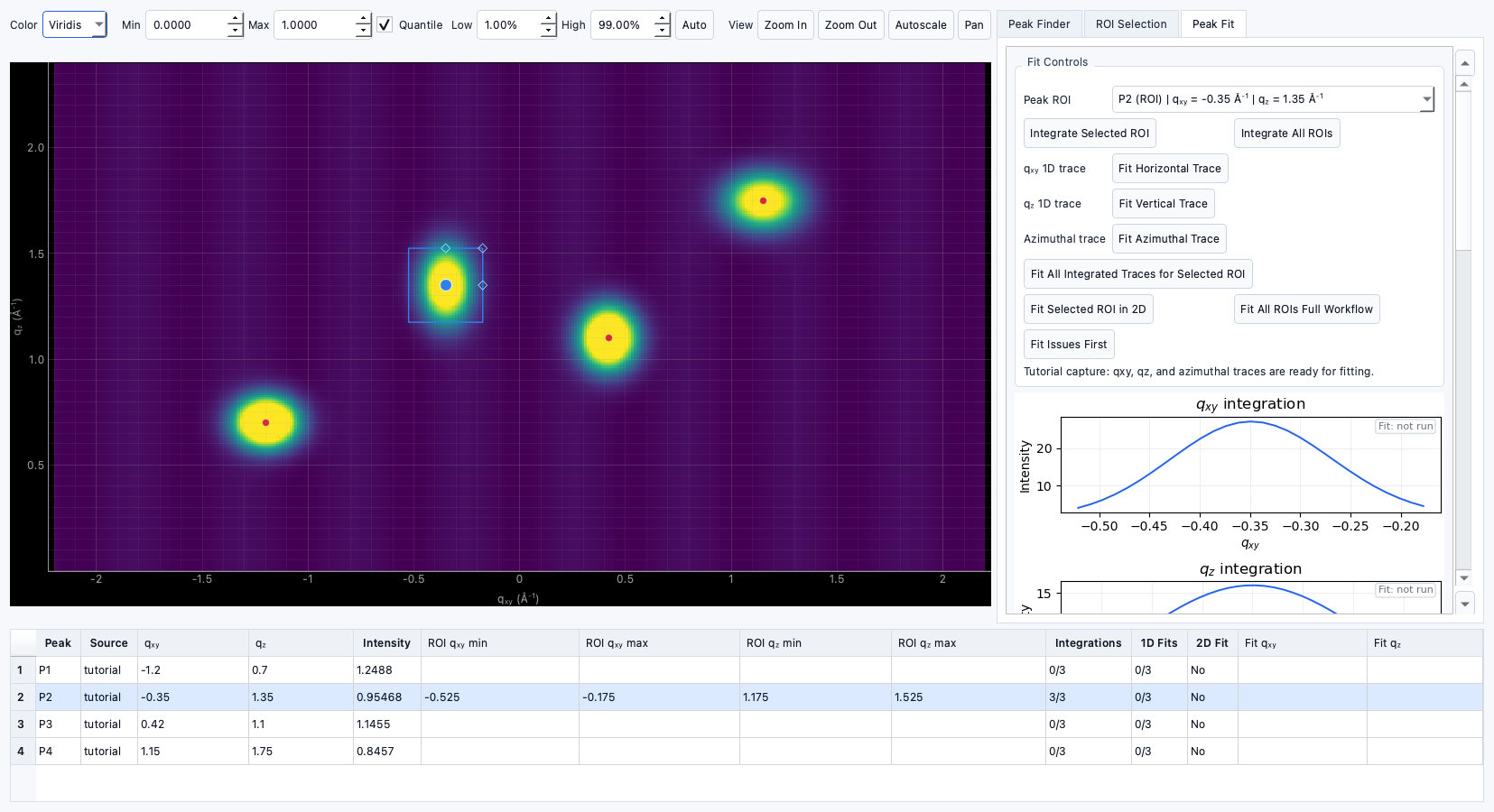
Use the fitted-peak workflow capture in
docs/assets/screenshots/tutorials/peak-fitting.png when documenting fit review or
handoff into Structure Analysis.